SMA: Stock Manager Advance with All Modules
All-in-one POS, CRM & inventory management system with built-in e-commerce store. Manage sales, stock, purchases & customers with SMA.

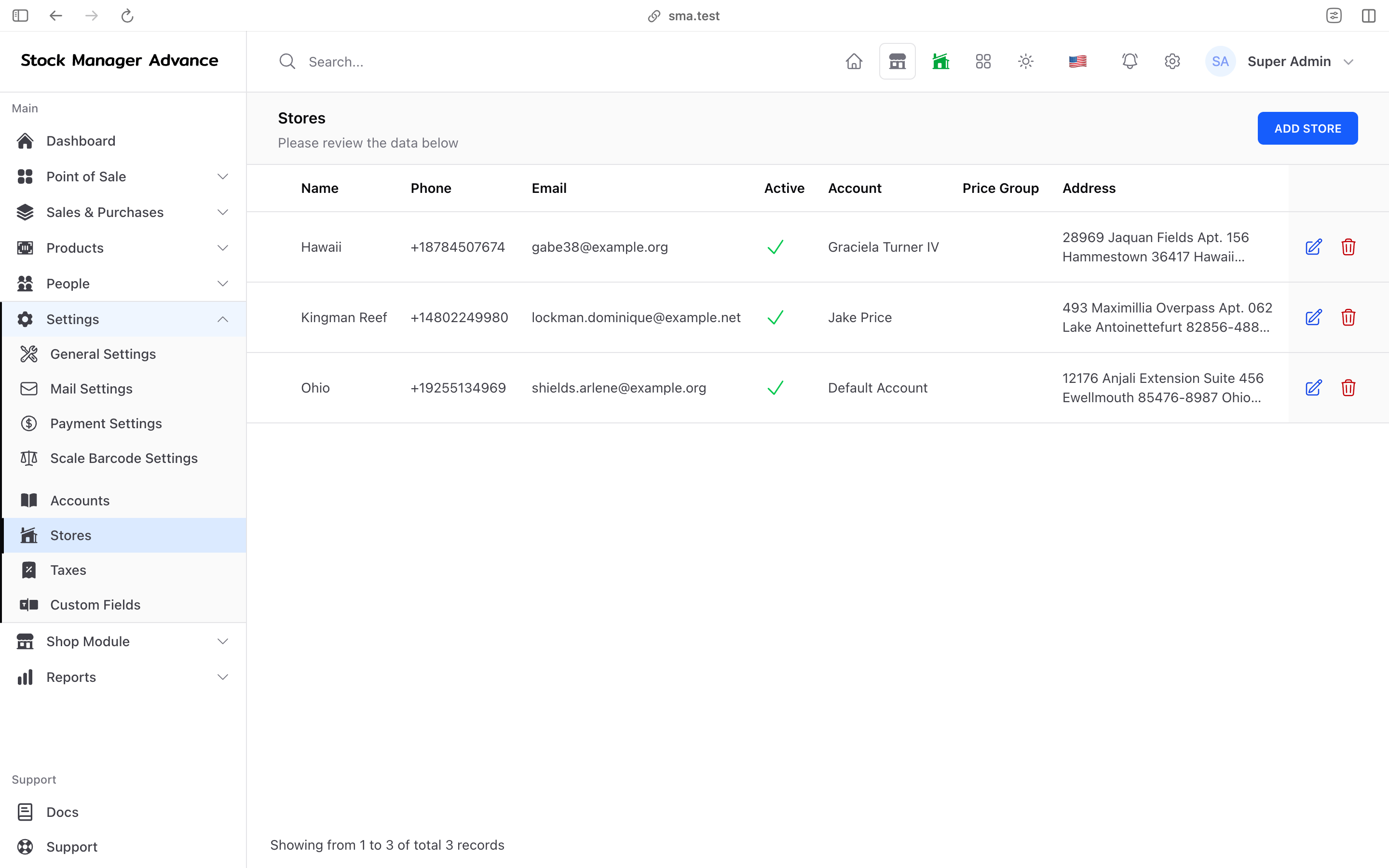
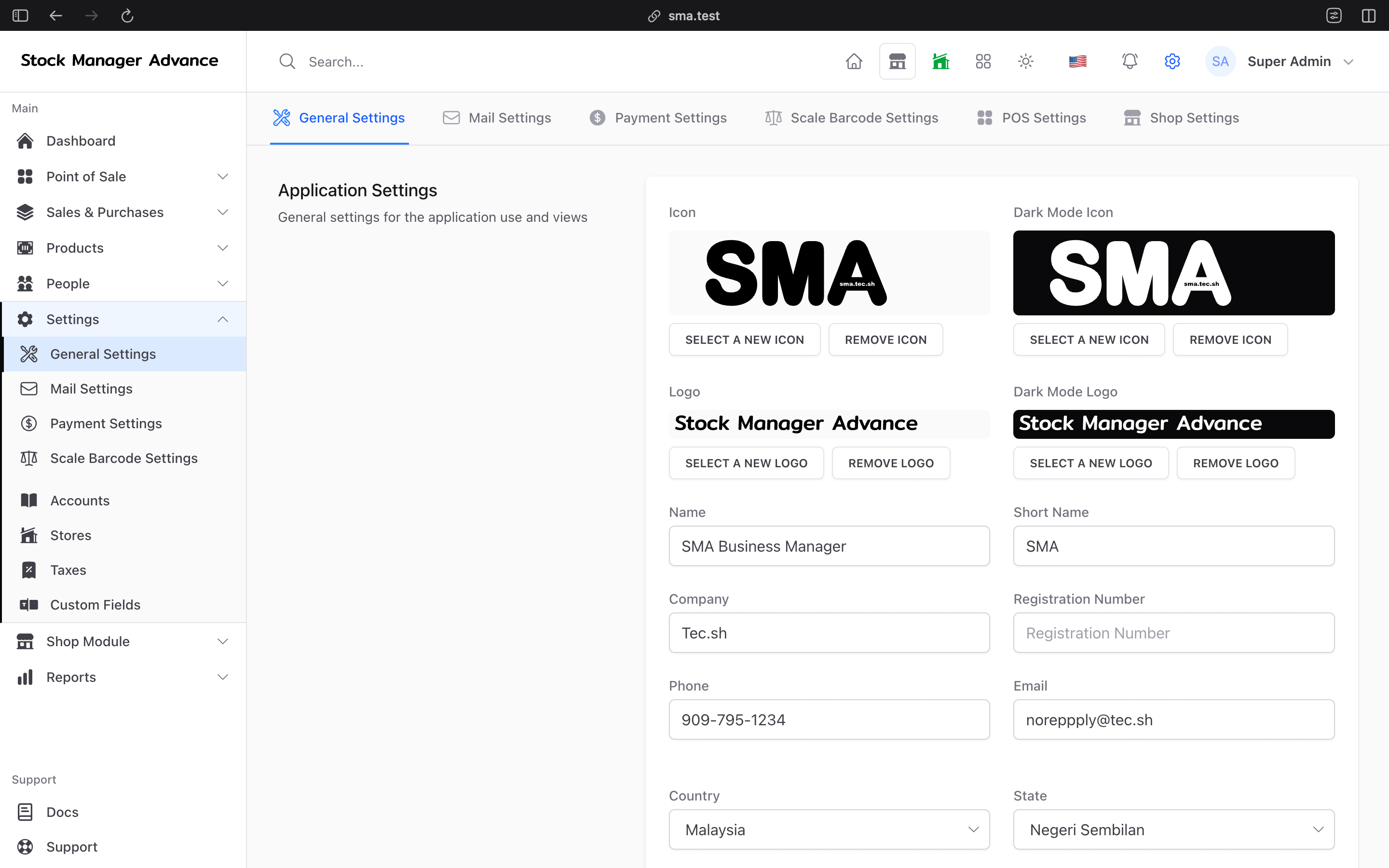
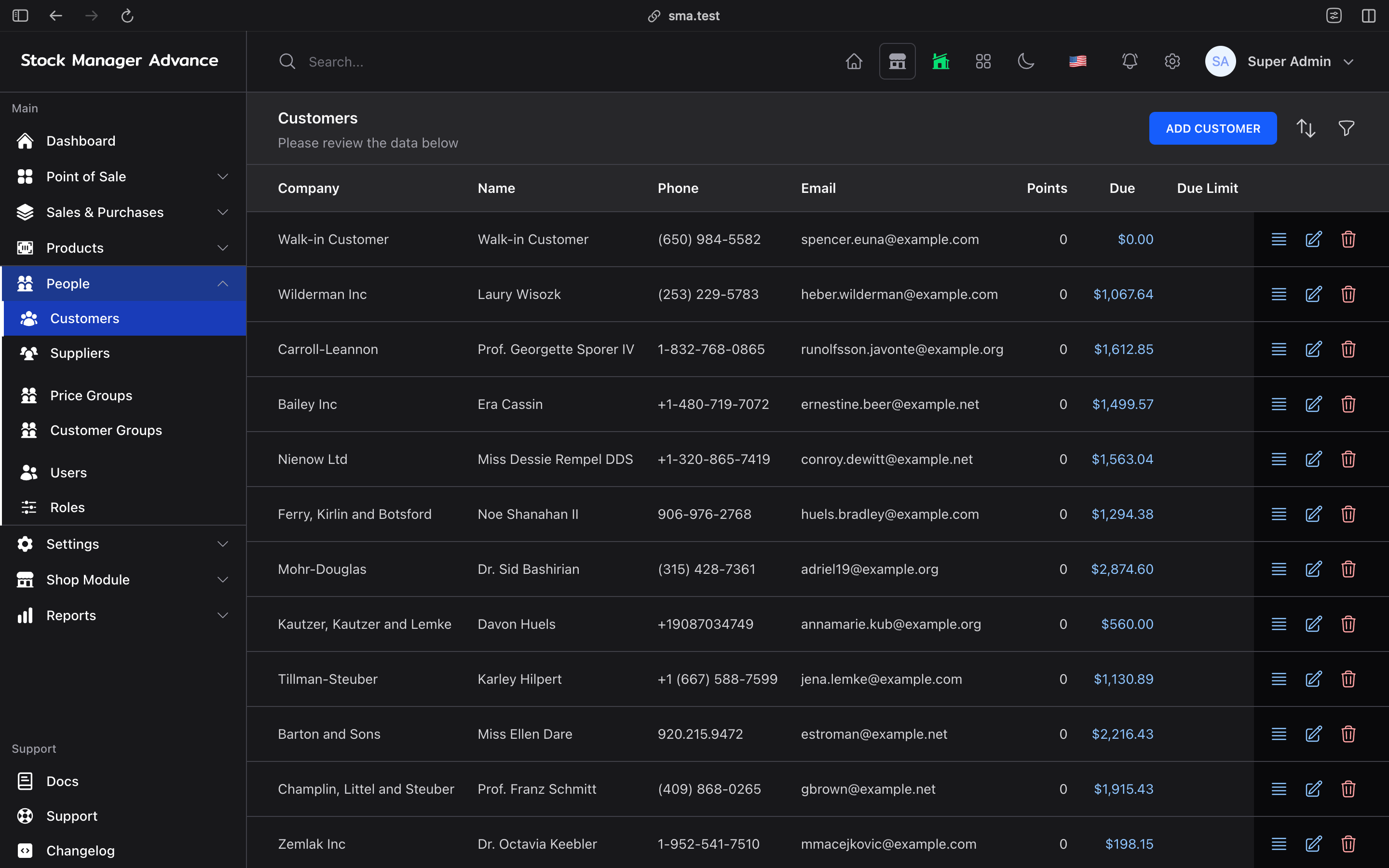
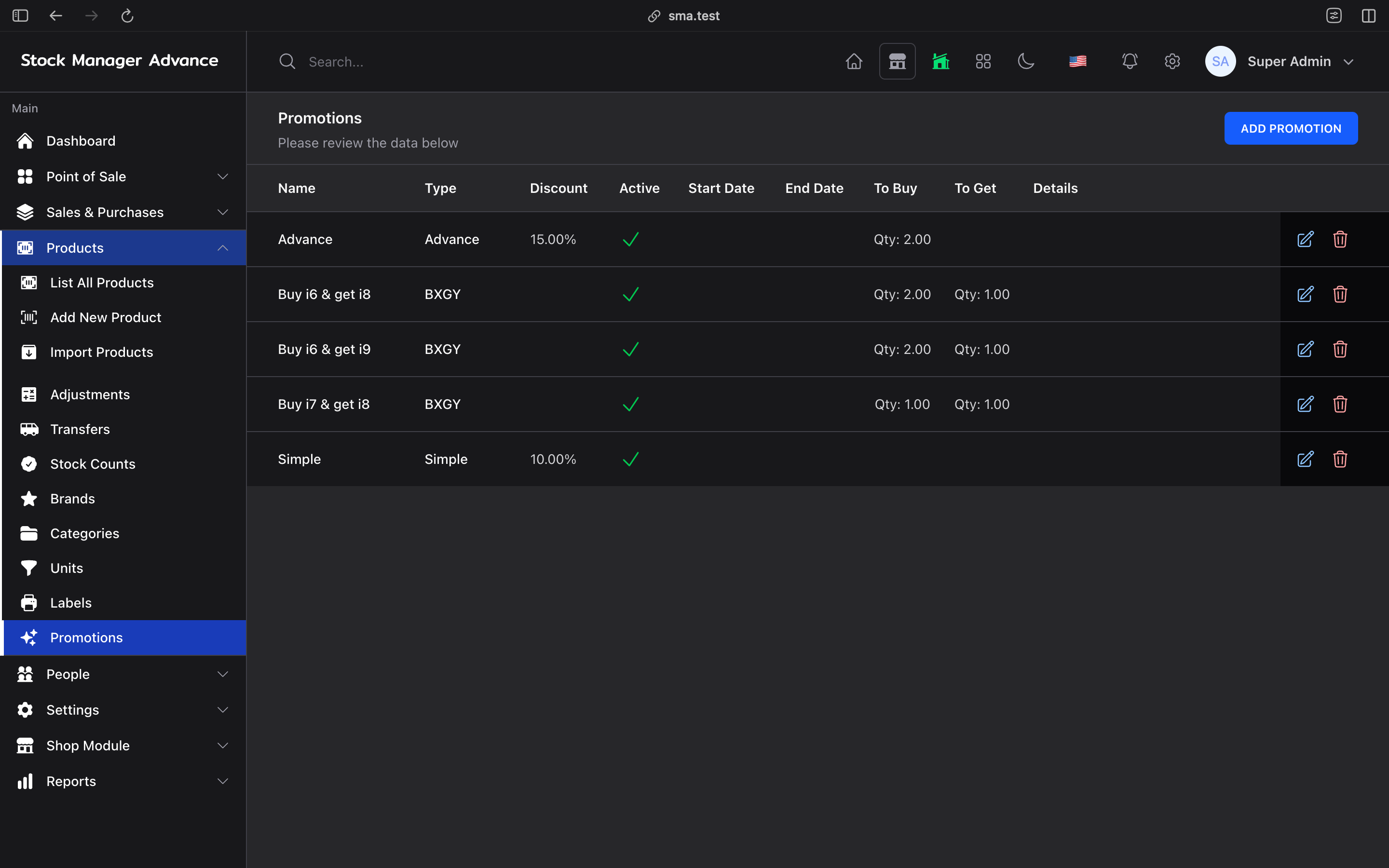
SMA: Stock Manager Advance with All Modules at a glance
- Category:
- PHP Web Applications
- Platform:
- Web
- Built with:
- Laravel, Livewire & Vuejs
- Requirements:
- PHP8.3+ & MySQL8
- Latest version:
- v4.0.0-rc.12
- Price:
- From $58.00
- Last updated:
- Nov 13, 2026, 7:35 PM
- Refunds:
- 30-day money back guarantee
- Documentation:
- Read the docs
Stock Manager Advance with All Modules
Self-hosted POS, inventory and business management software for retail, wholesale, restaurants, service businesses and online selling.
Stock Manager Advance (SMA) by Tecdiary is a self-hosted web application that runs your point of sale, multi-store inventory, purchasing, online shop, accounting, HR and payroll from one system you own. Sell at the counter (even offline), take orders online, book appointments, serve restaurant tables, fix repairs and pay your staff — with every sale, stock movement and payment landing in the same database and the same reports.
One license. All modules. Your server, your data.
Why businesses choose Stock Manager Advance
- One system instead of five. POS, inventory, online store, accounting and payroll share the same products, customers and stock, so nothing needs to be re-typed or reconciled between apps.
- Keeps selling when the internet doesn't. The POS works offline and syncs sales when the connection returns.
- You own the installation. Host it where you like, keep your database, and control backups, upgrades and access.
- Built for more than one shop. Store-level stock, prices and taxes, plus transfers between locations.
- Ready for real payments and tax rules. Online gateways, card-present terminals and e-invoicing drivers for countries that require them.
- Room to grow. Add restaurant tables, appointments, repairs, payroll, WooCommerce, QuickBooks or shipping labels when your business needs them, without switching software.
What is Stock Manager Advance?
Stock Manager Advance is browser-based business management software that combines a point of sale (POS), inventory management, purchasing, an e-commerce storefront, accounting, HR and reporting in a single self-hosted application. Businesses install SMA on their own server or hosting account, and staff use it from any modern browser on a desktop, tablet or phone.
SMA is used by retail shops, wholesalers and distributors, multi-location businesses, restaurants and cafés, salons and appointment-based services, repair shops and online sellers.
SMA at a glance
| Topic | Details |
|---|---|
| Developer | Tecdiary |
| Application type | Self-hosted, browser-based POS, inventory and business management software |
| Core workflows | Products, stock, POS, sales, purchases, quotations, returns, customers and suppliers |
| Selling channels | Point of sale (with offline mode), SMA Shop storefront, QR table ordering, WooCommerce |
| Locations | Multiple stores with store-level stock, prices and taxes, plus stock transfers |
| Industry workflows | Restaurants, table reservations, appointments and bookings, repairs |
| Back office | Accounting and banking, assets, HR, attendance, leave and payroll |
| Payments | Stripe, PayPal, Authorize.net, Razorpay, Paystack, Flutterwave, PayU, iPOSpays and Plaid Pay by Bank |
| Card terminals | Stripe Terminal, Dejavoo SPIn and iPOS terminals |
| E-invoicing | Malaysia MyInvois, Saudi Arabia ZATCA Phase 2, Dominican Republic e-CF and Costa Rica e-Invoice |
| Notifications | Email, SMS, WhatsApp and Telegram |
| Integrations | WooCommerce, QuickBooks Online, EasyPost, Shippo, Plaid, REST API and MCP for AI assistants |
| Languages | 14 interface languages, including right-to-left Arabic |
| Technology | PHP, Laravel, Livewire and Vue.js |
| Hosting | Your own server, VPS, cPanel shared hosting or Docker |
| Evaluation | Live demo and product documentation |
Everything included in the All Modules edition
| Module | What it does for you |
|---|---|
| Inventory | Products, variants, combos, recipes, serial numbers, batches, expiry, stock counts, transfers |
| Point of Sale | Touch-friendly, barcode-ready checkout with registers, offline mode and card terminals |
| Sales & Purchasing | Quotations, sales, purchases, returns, deliveries, payments and recurring transactions |
| SMA Shop | Your own online store with checkout, customer accounts, coupons and shipping |
| Restaurant | Halls, tables, recipes, QR menu ordering and table reservations |
| Bookings | Online appointment booking with staff, calendar, deposits and invoices |
| Repairs | Repair orders, technicians, service types and a public repair status page |
| Accounting & Banking | Accounts, transfers, statements, income, expenses, multi-currency and bank reconciliation |
| Assets | Asset categories, allocations and maintenance records |
| HR & Payroll | Employees, shifts, attendance kiosk, leave, claims, payroll and payslips |
| Reports | Sales, purchases, stock, payments, staff, profit and loss, with Excel and PDF export |
| Integrations | WooCommerce, QuickBooks Online, Shipping (EasyPost/Shippo), Plaid, REST API and MCP |
Control inventory across every store
Know what you have, where it is and when to reorder, before a customer asks.
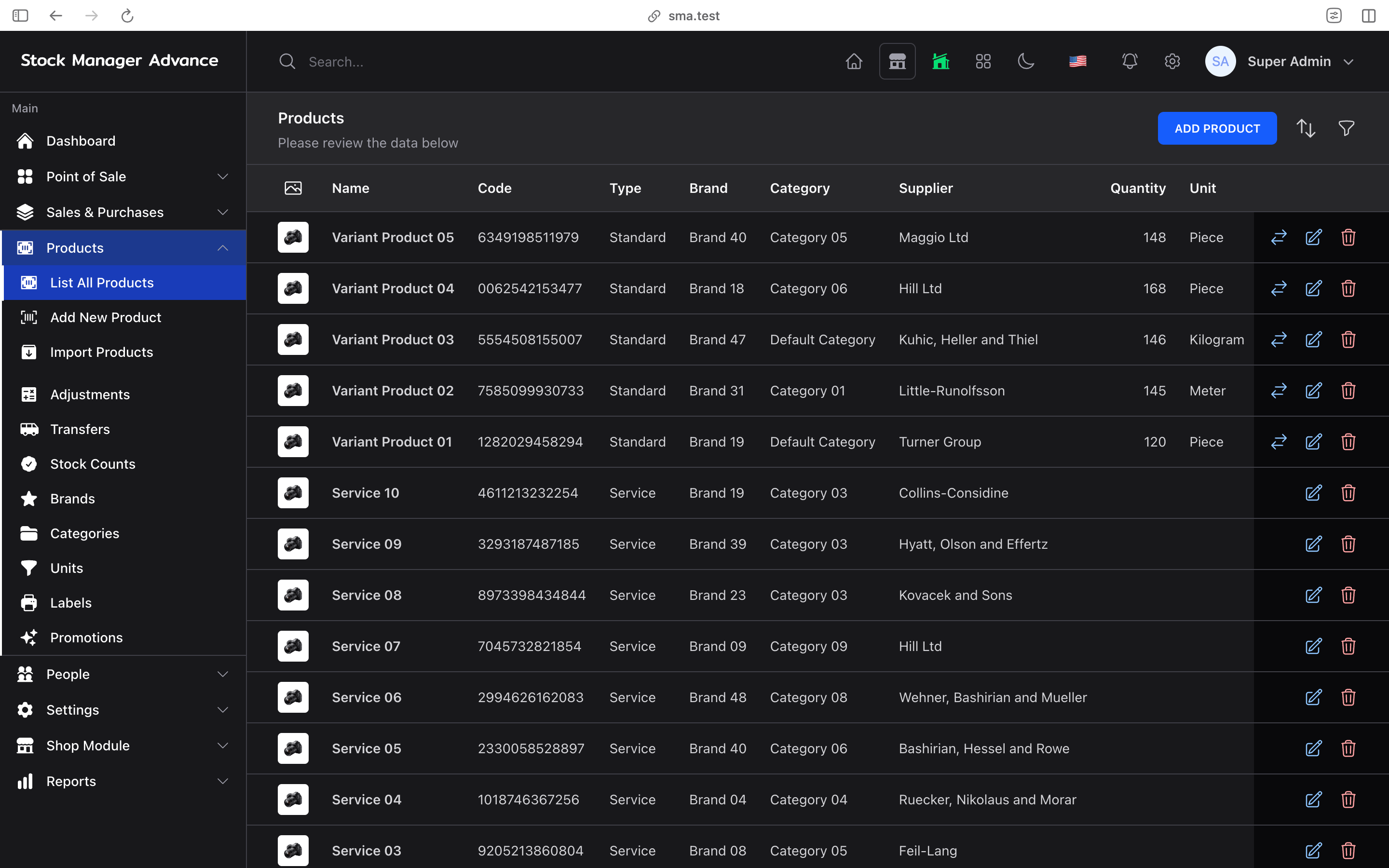
- Organize products by category, brand and unit, with unit conversions for buying in cases and selling in pieces.
- Sell standard products, variants (size, colour and more), combo bundles, recipe items that deduct ingredients, and digital products.
- Track serial numbers, batches and expiry dates.
- Set store-specific prices and taxes for each location.
- Record purchases, stock adjustments and full stock counts with downloadable count sheets.
- Move stock between locations with transfer records and email notifications.
- Get low-stock alerts and review expiry information to plan replenishment.
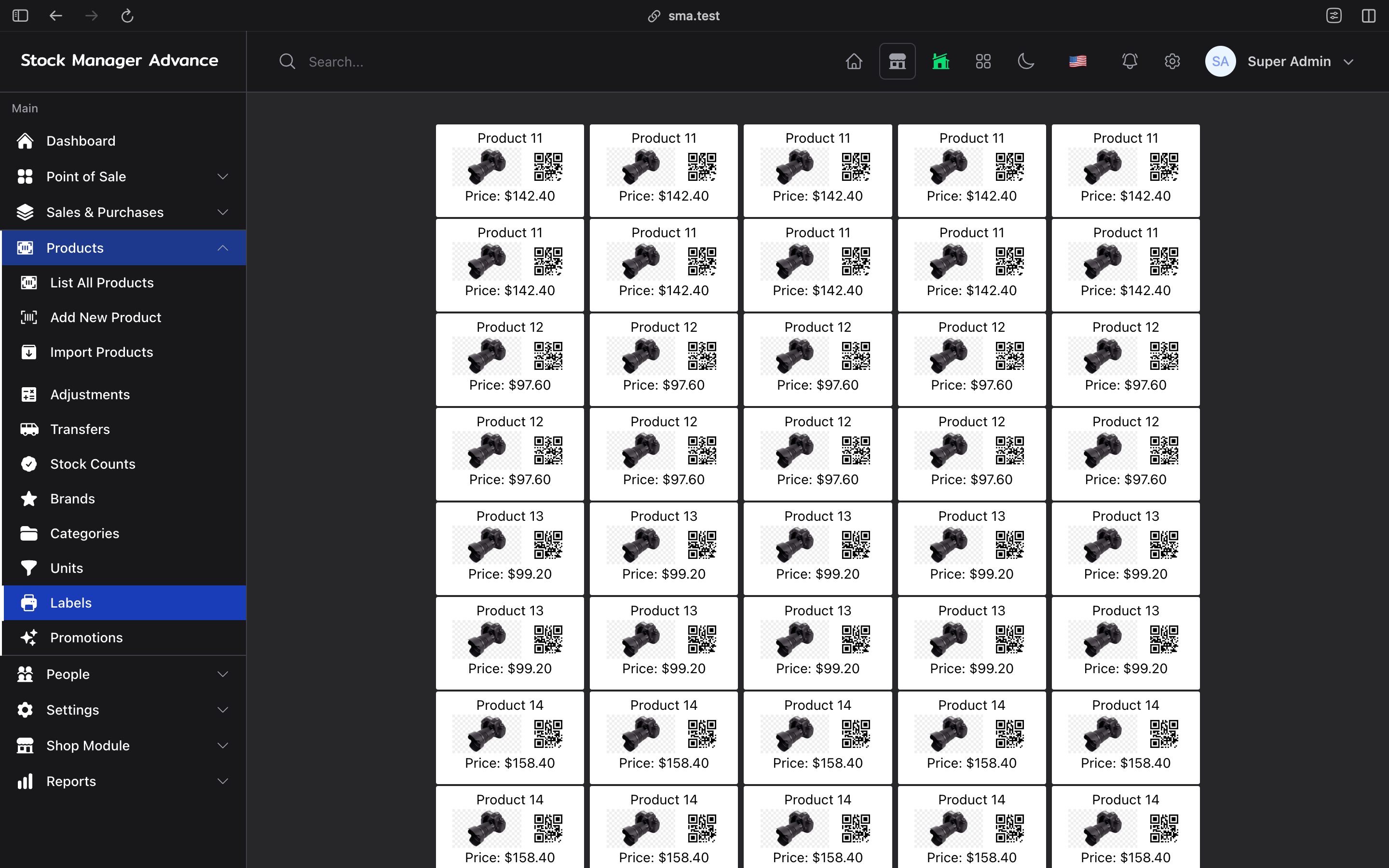
- Print barcode labels, import and export products with spreadsheets, and generate a PDF product catalog to share with customers.
- Use custom fields to store the extra product details your business relies on.
Example: a retailer sees that the downtown store is out of a best-seller, checks stock at the warehouse, and creates a transfer — the movement is recorded in SMA and both stores' stock updates.
Sell faster with a POS that keeps working offline
The SMA point of sale connects checkout to your products, customers, stock and payments, so every sale updates inventory and reports instantly.
- Touch and barcode friendly checkout, including support for weighing-scale barcodes.
- Offline mode: the POS installs as a web app, keeps selling during an internet outage and syncs queued sales when you reconnect.
- Card-present payments with Stripe Terminal, Dejavoo SPIn and iPOS terminals, including terminal refunds where supported.
- Cash registers with opening and closing, register reports and close-out notifications.
- Hold and resume sales when a customer needs more time, and quick cash buttons for faster change.
- Gift cards with top-ups and history, promotions, and loyalty award points for customers and staff.
- Attach sales to customer records and customer price groups.
- Print or email receipts, and share an online copy of any invoice with a secure link.
Payment gateways and terminals require their own merchant accounts and configuration. Check the demo and documentation for the payment methods and hardware you plan to use.
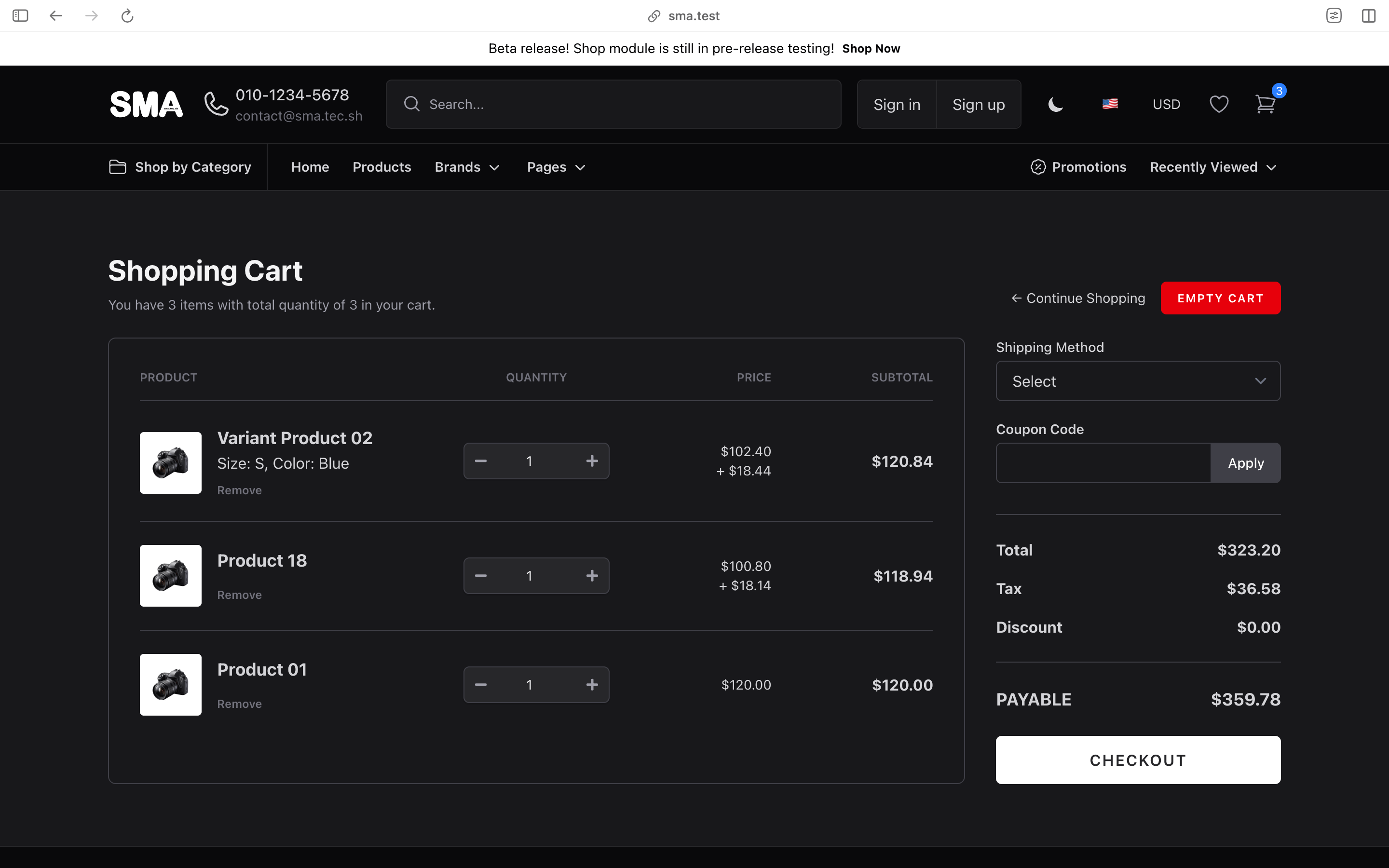
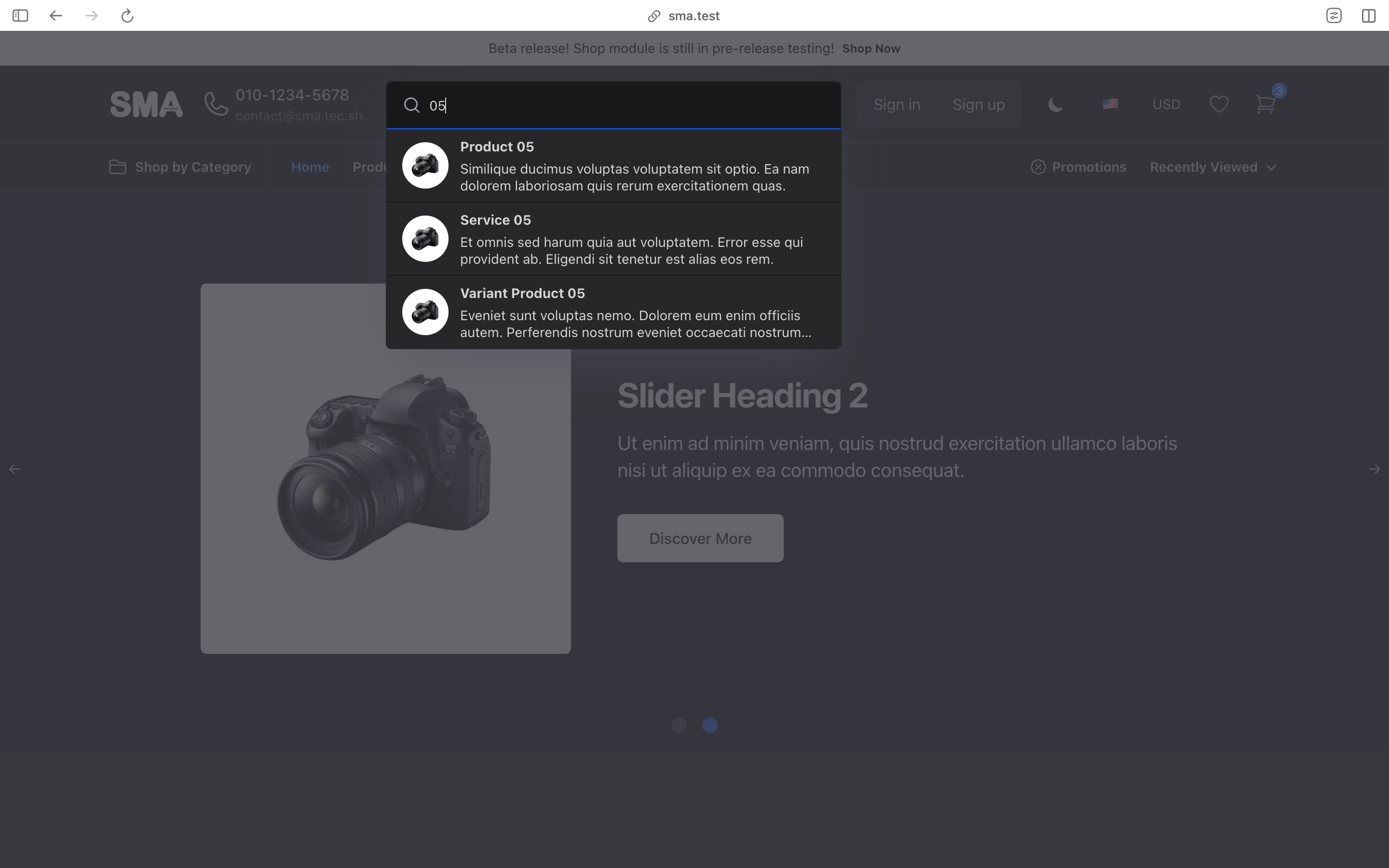
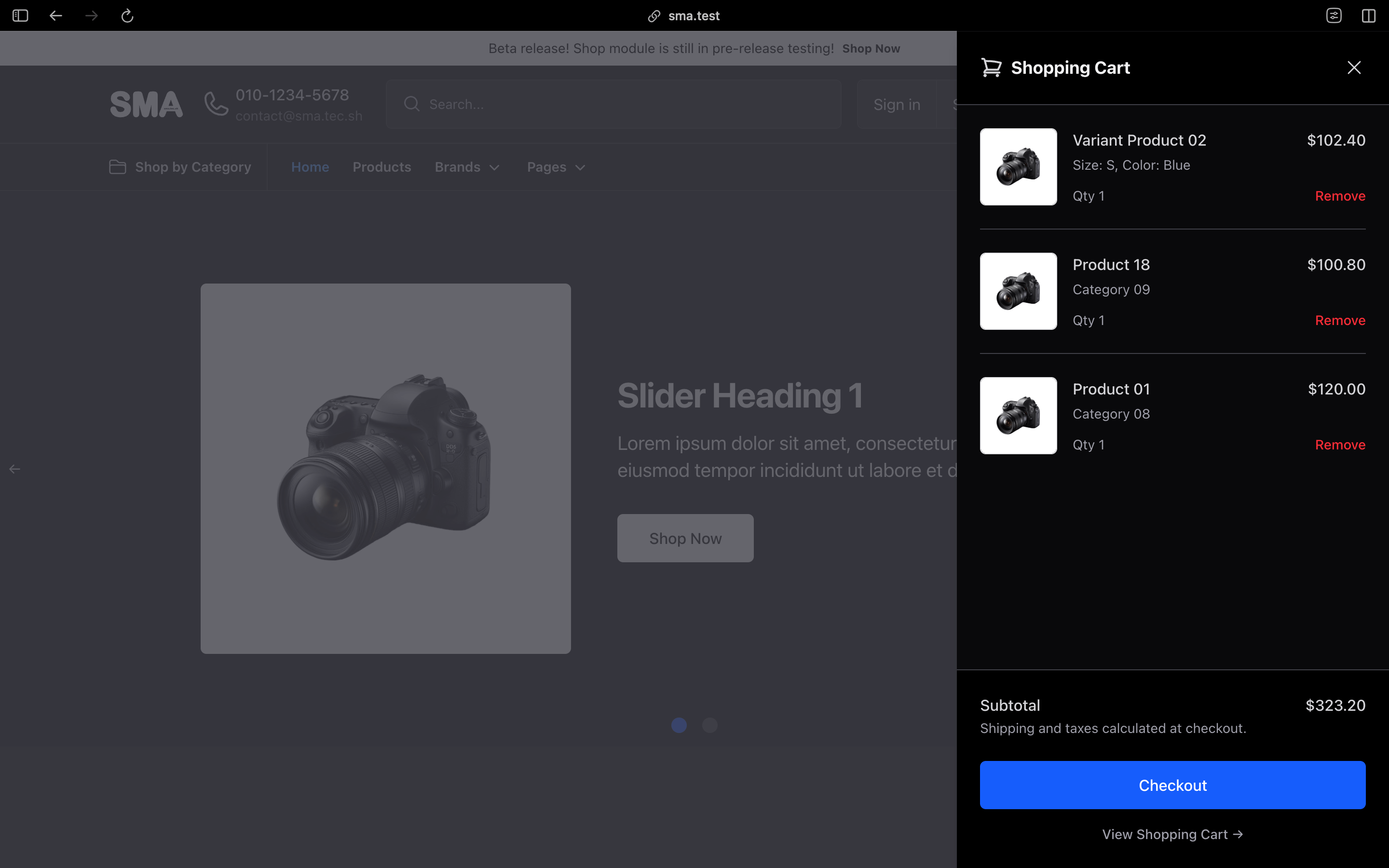
Sell online with the built-in SMA Shop
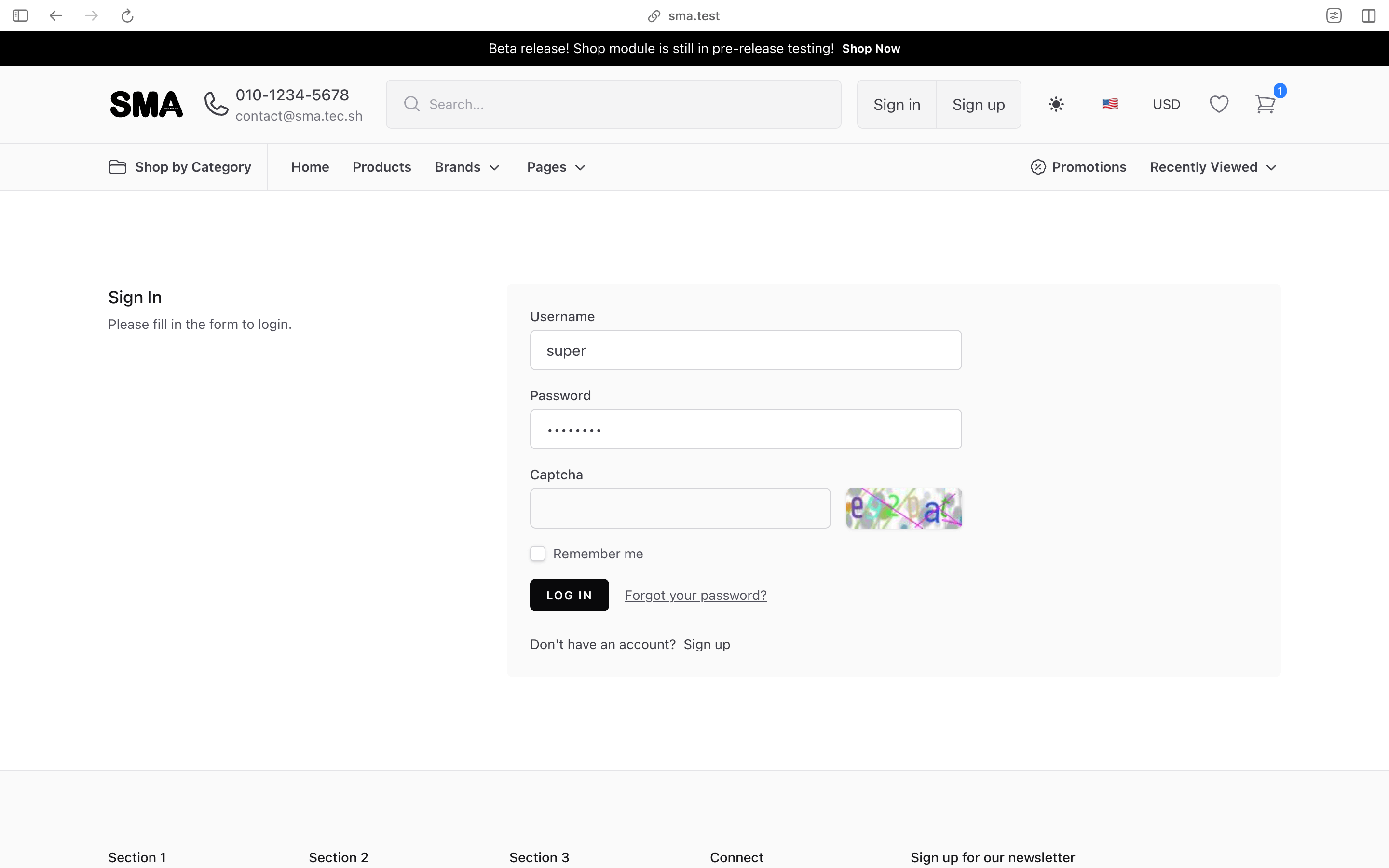
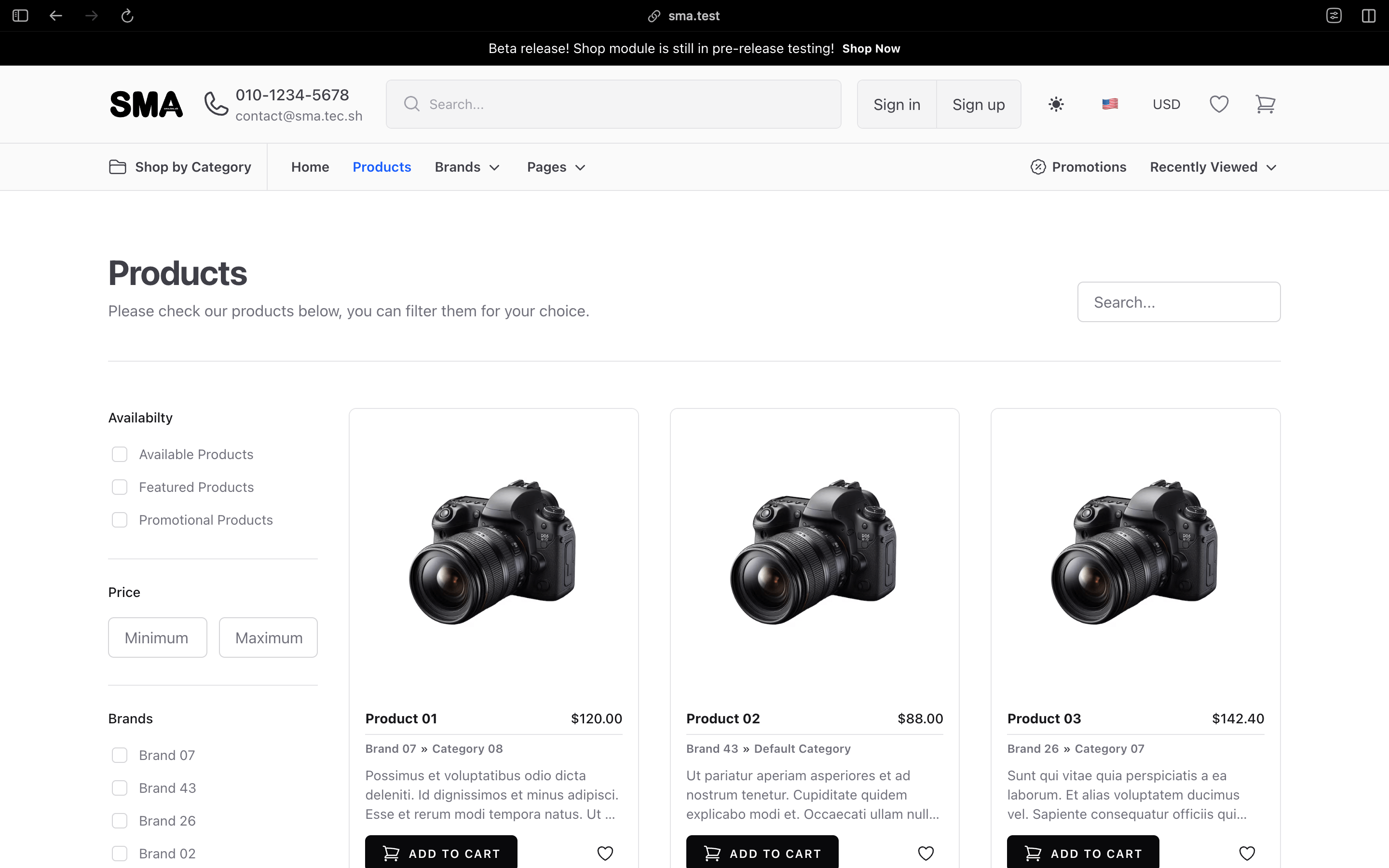
SMA Shop gives you a customer-facing online store that uses the same products, prices and stock as your POS — no separate e-commerce platform to sync.
- Responsive storefront with light and dark modes and a home page builder.
- Customer accounts, guest checkout, order tracking, wishlists and one-time-code sign-in.
- Coupons, shipping methods, multiple display currencies and custom content pages.
- Online payments with Stripe, PayPal, Authorize.net, Razorpay, Paystack, Flutterwave, PayU, iPOSpays and Plaid Pay by Bank, plus offline payment methods such as cash on delivery.
- Newsletter sign-ups with confirmation and one-click unsubscribe.
- Search-ready storefront with an XML sitemap, robots file,
llms.txtand social sharing images. - Catalog mode to show products without accepting cart orders, and maintenance mode while you prepare a launch.
- Customers can also book appointments directly from the shop.
Already run a WooCommerce website? Connect it with the separate WooCommerce integration instead.
Keep sales, purchasing and quotations organized
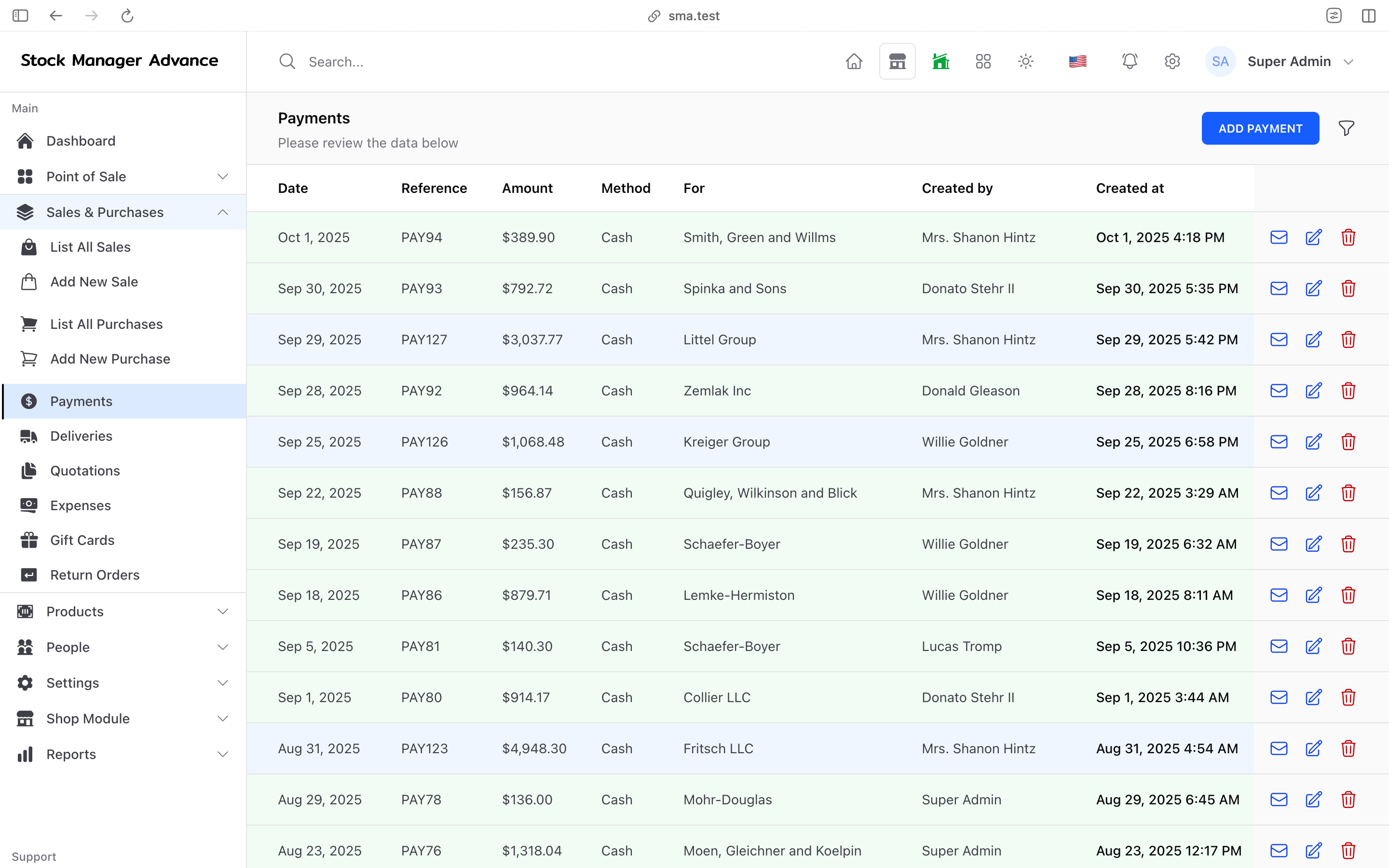
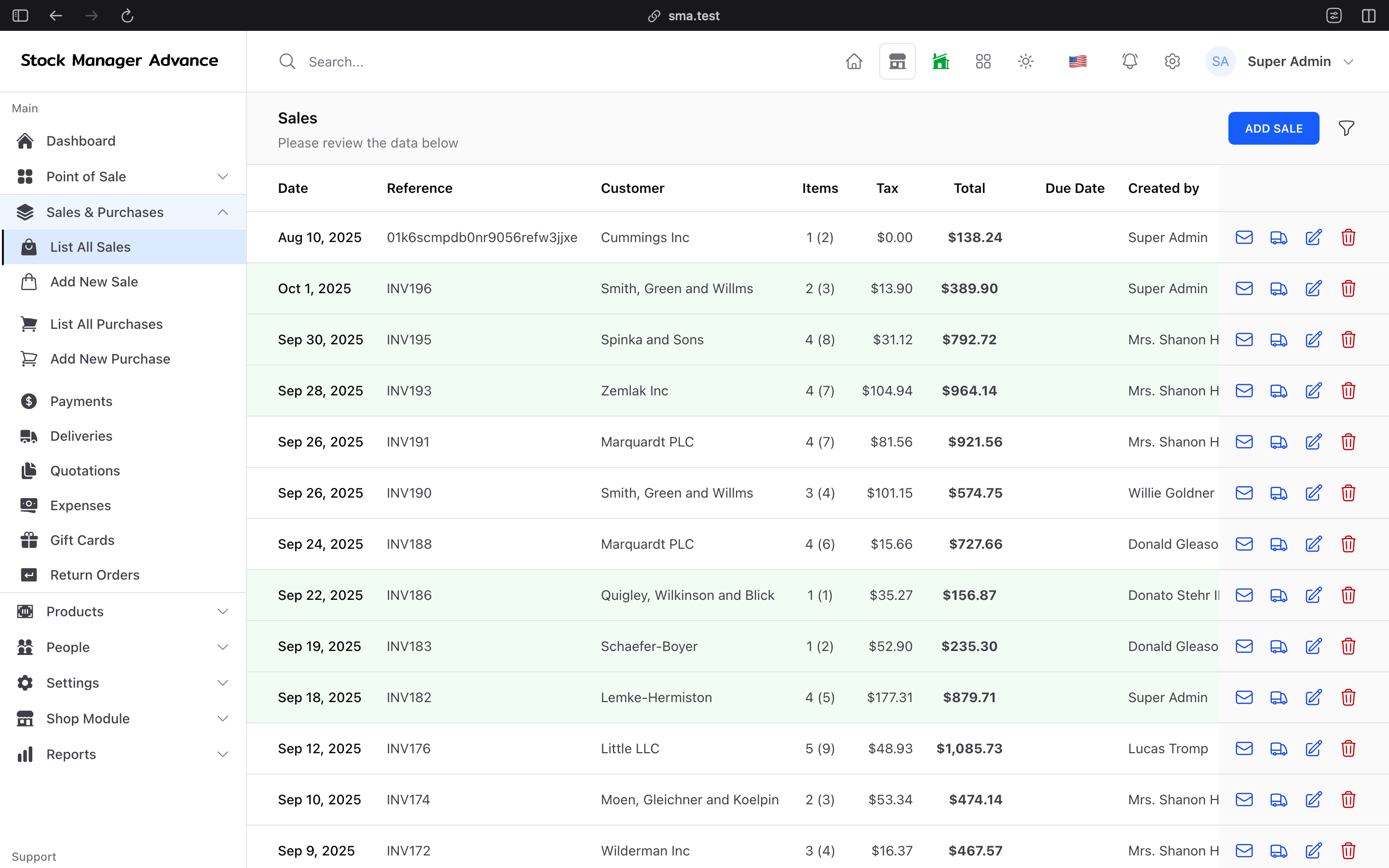
Create quotations, convert them to sales, record purchases and track every payment in one place.
- Quotations with online e-signature: customers open a secure link and sign, and you are notified.
- Sales, purchases and returns with strict linking to the original order, so refunds and credits stay accurate.
- Sale status and fulfilment tracking, deliveries, and staff assignment for orders.
- Customer payment receipts: customers can upload proof of a bank transfer for your team to review.
- Recurring transactions for regular invoices and bills.
- PDF attachments on sale, purchase and quotation emails, and shareable online document links.
- Customer and supplier statements with balances and payment history.
- Tax and discount settings that match how your business sells.
Stay compliant with built-in e-invoicing
For countries that require real-time electronic invoicing, SMA includes fiscal drivers that submit sales and credit notes to the tax authority:
- Malaysia — LHDN MyInvois e-invoicing.
- Saudi Arabia — ZATCA Phase 2 (Fatoora), including credit notes and reissues.
- Dominican Republic — DGII e-CF electronic fiscal documents.
- Costa Rica — Hacienda electronic invoice (v4.4).
Choose to report each sale immediately, when it is paid, or in an end-of-day batch, and retry failed submissions without losing accepted documents. Registration with the relevant tax authority and its credentials are required.
Run your restaurant, from QR menu to table reservation
SMA includes restaurant workflows for dine-in, takeaway and counter service.
- Set up halls and tables and see table status at a glance.
- Use recipes so selling a dish deducts its ingredients from stock.
- QR menu ordering: guests scan a code at the table, browse the menu, choose variants and order from their phones. New QR orders can print automatically.
- Online table reservations with email or SMS verification, seat-capacity checks and an admin reservation board.
Take online appointments and bookings
Perfect for salons, spas, clinics, studios and other service businesses.
- Public booking page where customers pick a service, staff member and time slot.
- Booking calendar with rescheduling, statuses and staff assignment.
- Slot limits per weekday to prevent overbooking.
- Deposits and online payment at the time of booking.
- Turn completed bookings into invoices in one click.
Manage repairs from check-in to invoice
- Create repair orders with device details, attachments, technicians and service types.
- Give customers a public repair status page so they can check progress without calling.
- Convert completed work into an invoice that flows into sales, payments and reports.
Accounting, banking and multi-currency
- Maintain accounts, transactions, account transfers and statements.
- Record income and expenses by category.
- Give each account its own currency with maintained exchange rates.
- Payroll and claims post to accounts automatically.
- Connect banks with Plaid for bank feeds, transaction matching, bank reconciliation and live balance checks.
- Send records one way to QuickBooks Online as individual transactions or daily summary journals.
- Review profit and loss, payment and inventory accounting reports.
HR, attendance and payroll
- Keep employee records with shift groups and work schedules.
- Staff clock in and out from their dashboard, a shared attendance kiosk with PIN, or a store clock board, with optional IP restrictions.
- Manage leave, early-leave requests and expense claims with approvals.
- Run payroll for any period, with configurable statutory deductions (percentage, fixed or bracket-based, such as EPF and SOCSO-style contributions) and employer contributions.
- Generate payslips and post payroll to your accounts.
Track business assets
Organize assets by category, record which employee or location each asset is allocated to, and log maintenance — keeping equipment records alongside the rest of your operations.
Use reports to decide what needs attention
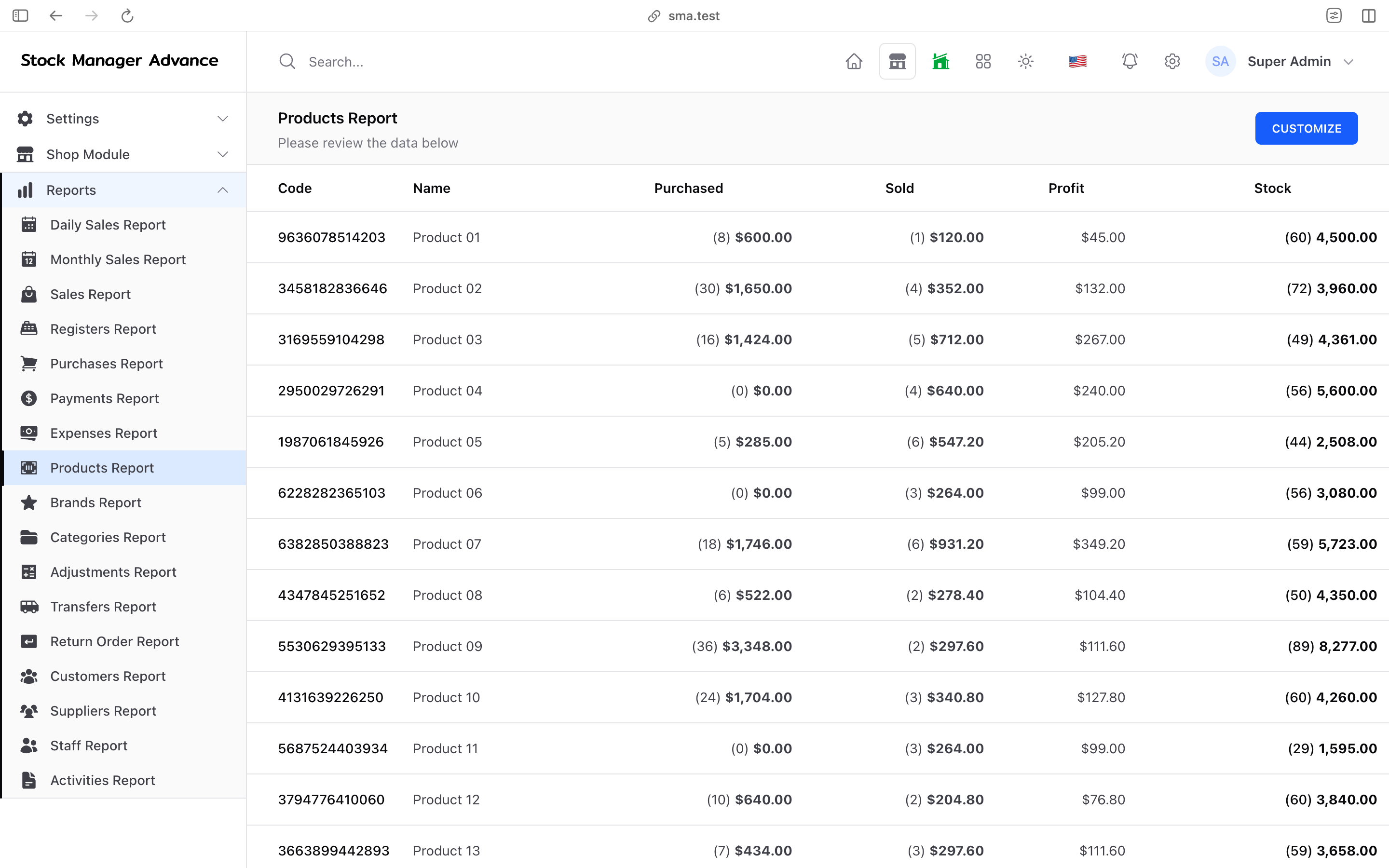
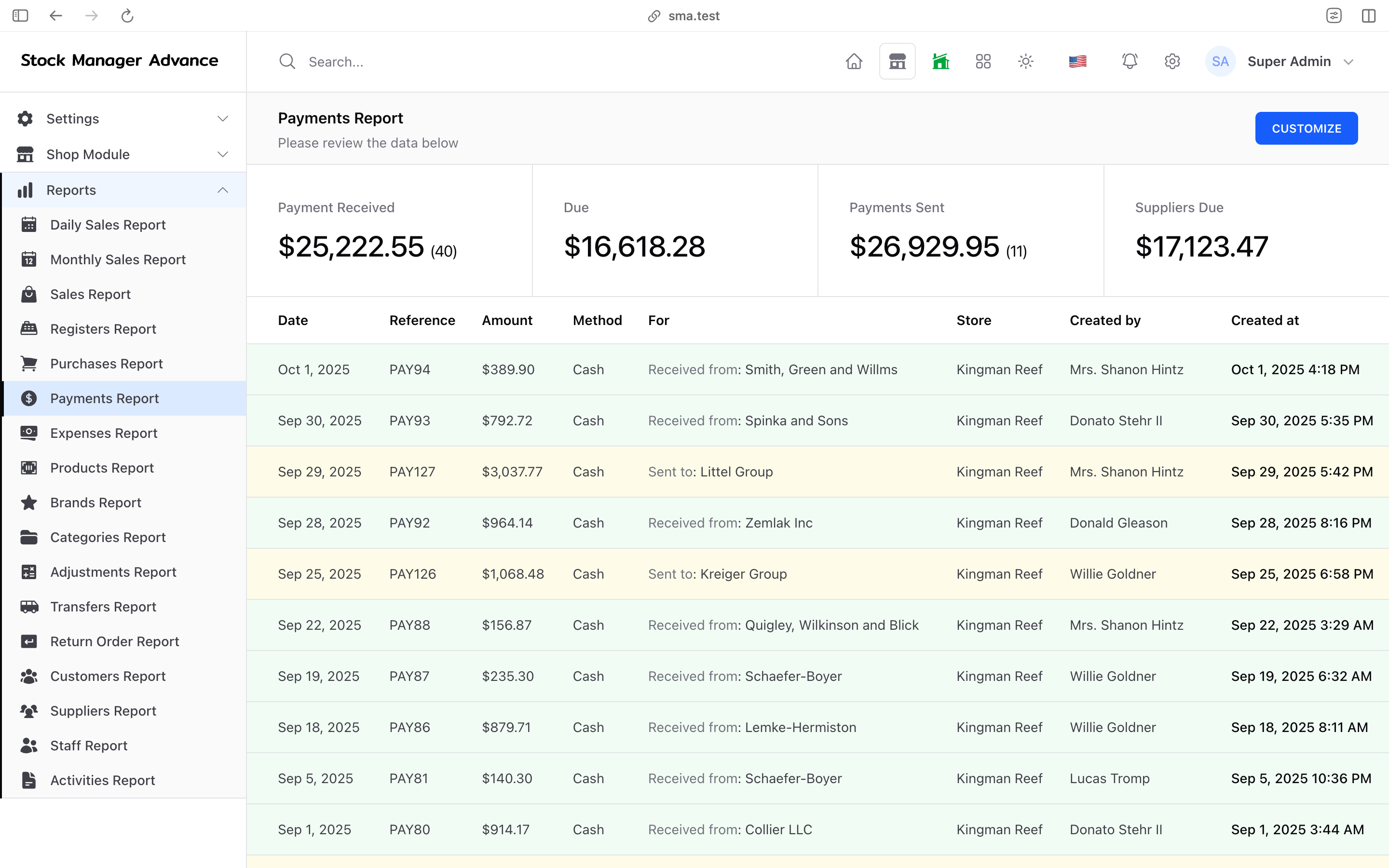
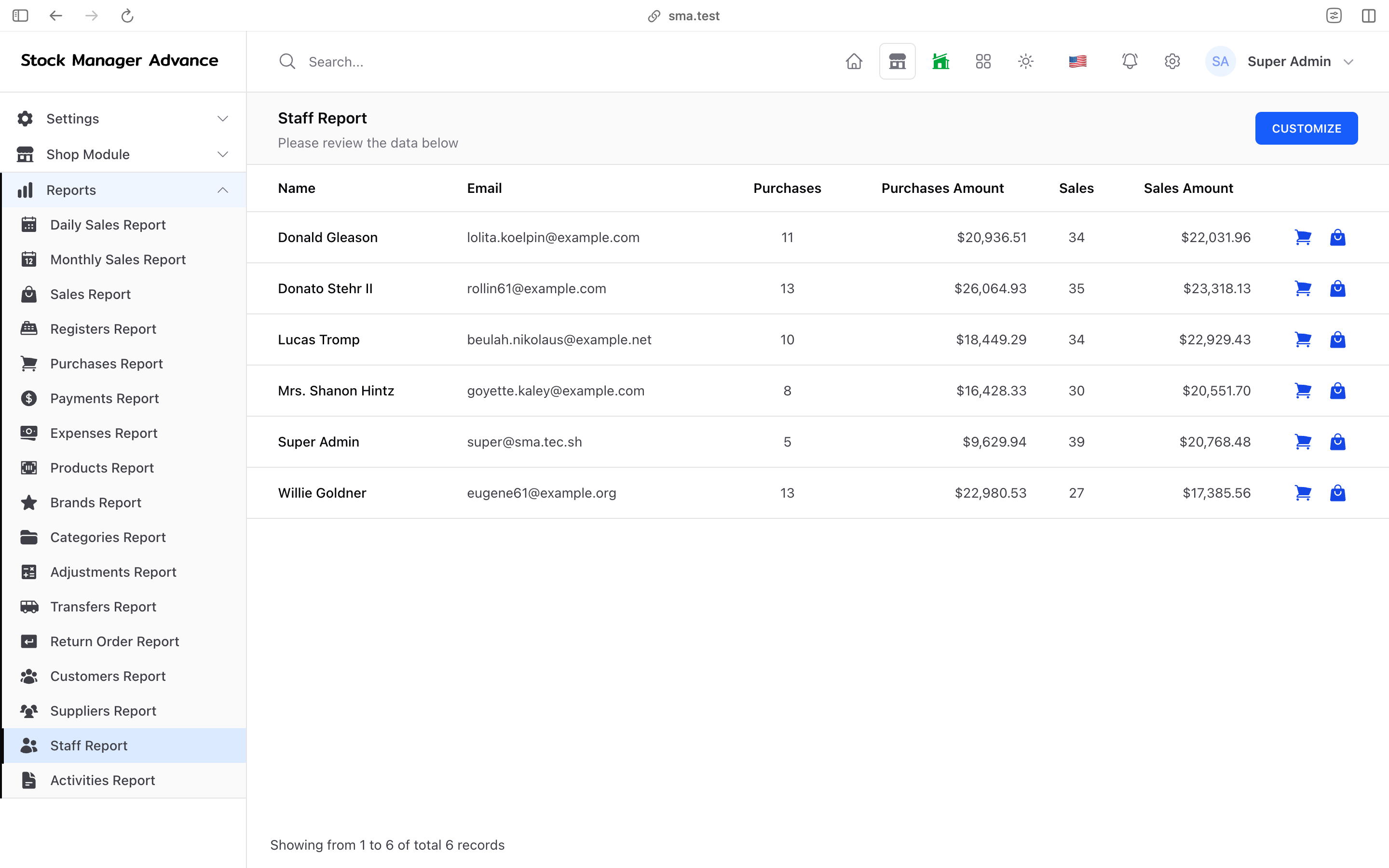
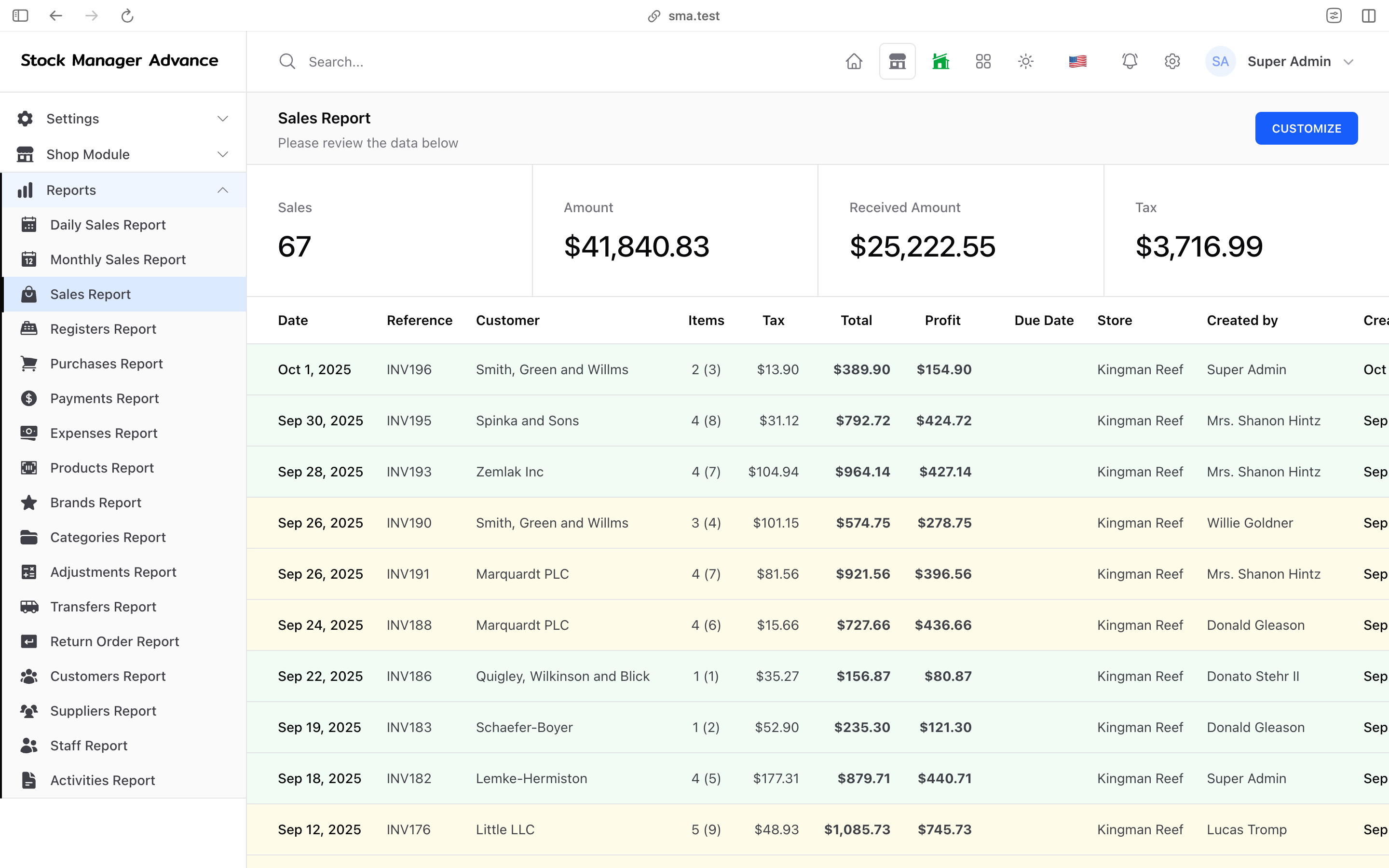
SMA includes more than 20 business reports covering sales, daily and monthly sales, purchases, payments, products, categories, brands, customers, suppliers, staff, transfers, adjustments, returns, expenses, income, inventory accounting, registers and profit and loss.
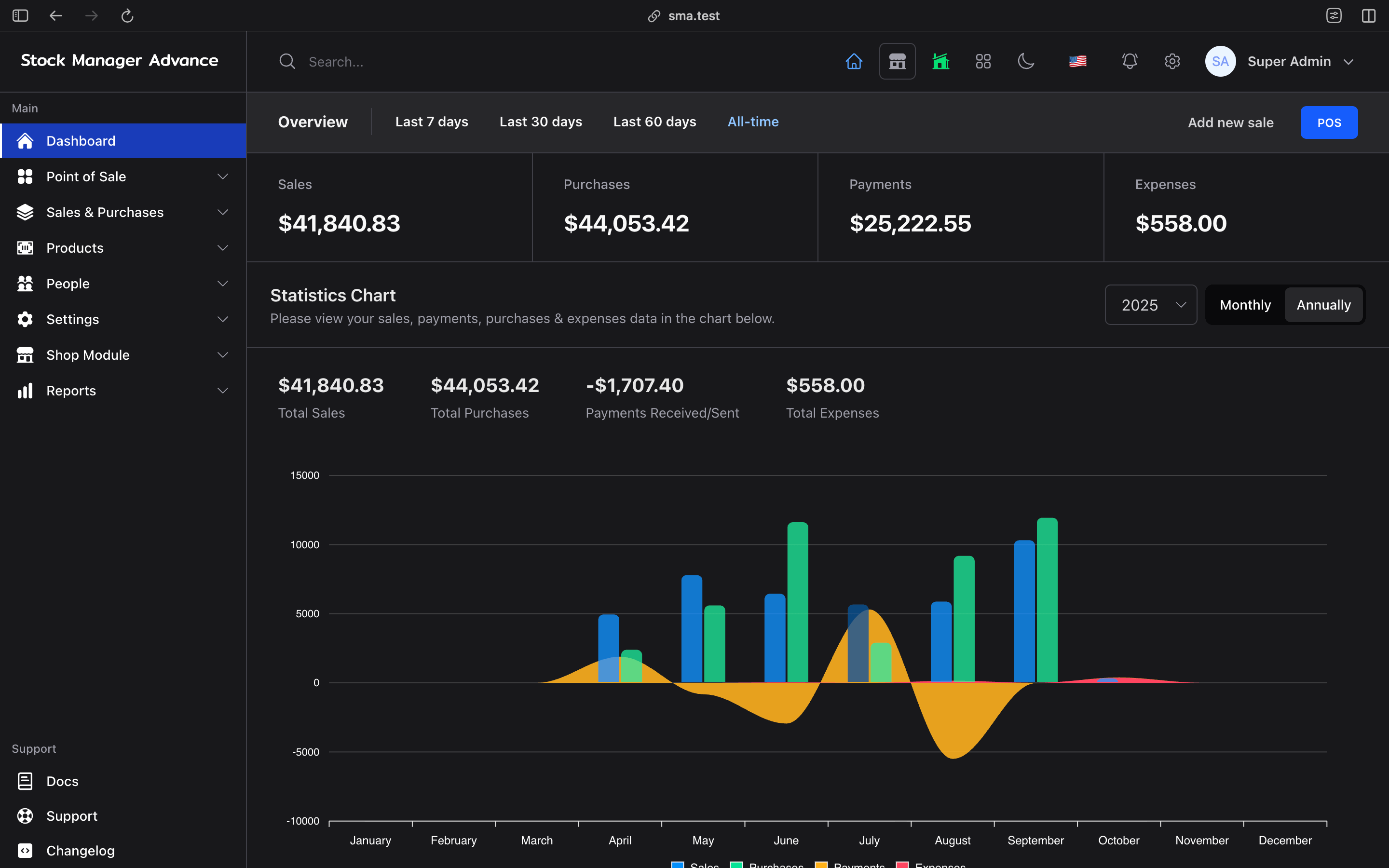
Export reports to Excel or download PDF reports, and use the dashboard charts for a quick daily view.
Use reports to answer practical questions: Which products are selling? Which customers are buying? What needs replenishing? Which payments or expenses need a closer look?
Keep customers and staff informed automatically
Send transactional notifications by email, SMS, WhatsApp and Telegram: sale and payment confirmations, quotations, signed quotations, purchase orders, transfers, low-stock alerts, booking and reservation updates, register close-outs and more. In-app notifications keep your team up to date.
Connect SMA with the tools you already use
- WooCommerce: push stock from a chosen SMA store and import paid or accepted WooCommerce orders as sales, matched by SKU.
- QuickBooks Online: one-way posting of SMA records as individual transactions or daily summary journals.
- Shipping labels: request carrier rates, buy labels and track parcels with EasyPost or Shippo.
- Plaid: bank feeds, reconciliation, Pay by Bank and income verification (availability varies by country).
- REST API: a versioned API for connecting external software, governed by user permissions and store access.
- MCP for AI assistants: built-in Model Context Protocol endpoints let AI assistants search your product catalog and, with an authenticated token, create sales.
Third-party services require their own accounts, credentials and applicable charges.
Security and control built in
- Roles and permissions for every module, with per-store access and "own records only" limits.
- Two-factor authentication, login captcha and an activity log of changes.
- Customer portal so customers can view their own orders and statements.
- Impersonation for administrators to troubleshoot what a user sees.
- Scheduled backups and optional Amazon S3-compatible storage for files and uploads.
- Bulk delete and restore actions with soft delete, so mistakes can be undone.
Ready for businesses anywhere
- 14 interface languages: English, Arabic (RTL), Chinese, French, German, Indonesian, Italian, Japanese, Korean, Portuguese, Russian, Spanish, Thai and Turkish.
- Multiple currencies, flexible tax rates and country-specific e-invoicing.
- Custom fields, store logos and branded emails and documents.
Who is SMA for?
| Business | How SMA helps |
|---|---|
| Retail shops | Fast POS checkout, offline selling, stock control, loyalty and gift cards. |
| Wholesalers and distributors | Supplier purchases, quotations with e-signature, price groups and statements. |
| Multi-location businesses | Store-level stock, prices and taxes, plus recorded transfers between stores. |
| Online sellers | Built-in SMA Shop or WooCommerce, online payments and shipping labels. |
| Restaurants and cafés | Tables, recipes, QR menu ordering with auto-print and table reservations. |
| Salons, spas and clinics | Online appointment booking, staff calendars, deposits and invoicing. |
| Repair businesses | Repair jobs, technicians, public repair status and invoicing. |
| Businesses in Malaysia, Saudi Arabia, the Dominican Republic and Costa Rica | Built-in e-invoicing drivers for local tax authority requirements. |
SMA compared with separate tools
| Need | Separate apps and spreadsheets | Stock Manager Advance |
|---|---|---|
| Stock after a sale | Updated manually or via sync tools | Updated with every POS, shop and order sale |
| Online store | Separate platform and catalog | Built-in shop using the same products and stock |
| Several locations | One file or account per store | Store-level stock, prices, taxes and transfers |
| Staff and payroll | Separate HR software | Attendance, leave and payroll in the same app |
| Reports | Combined from several exports | One set of reports across all activity |
| Data ownership | Spread across vendors | One database on hosting you control |
Run SMA on your own hosting
SMA is installed on your server or a compatible hosting account, and your team uses it through a browser. You control the hosting environment, database, backups and upgrades.
- Requirements for the current release: PHP 8.4 or newer and MySQL 8+ or MariaDB 10.3+, with common PHP extensions. Release packages ship with assets already built.
- Flexible hosting: runs on a VPS or dedicated server, works on cPanel shared hosting, or deploys with Docker.
- Guided web installer that checks your server and walks you through setup in four steps.
- Upgrading from SMA v3? A built-in importer brings your existing data across.
Review the installation guide before purchase, particularly if your hosting plan restricts PHP versions, cron jobs, background workers or server configuration.
Try the workflow before choosing a license
Open the live demo and follow a task your staff performs every day: find a product, ring up a sale, check stock at another store or open a report. If you sell online, run a restaurant or take bookings, explore those workflows too.
Then compare the available licenses against your intended use and read the license terms before ordering.
Bring your whole business into one system
Counter sales, online orders, stock, bookings, accounts and payroll — managed together, on hosting you control. Open the live demo and see how Stock Manager Advance fits the way your team works.
Frequently asked questions
What is Stock Manager Advance used for?
Stock Manager Advance is used to run a business's point of sale, inventory, purchasing, online store, accounting, HR and payroll from one self-hosted application. It also covers restaurant ordering, table reservations, appointment bookings and repair jobs.
Is SMA a hosted service or self-hosted software?
SMA is self-hosted software. You install it on your own server, VPS, shared hosting account or Docker, and access it from a browser. You keep full control of the database, backups and upgrades.
Does the SMA POS work offline?
Yes. The POS can be installed as a web app and continues to record sales during an internet outage. Queued sales sync automatically when the connection returns.
Can I manage more than one store?
Yes. SMA supports multiple stores with store-level stock, prices and taxes, and records stock transfers between locations.
Does SMA include an online store?
Yes. The built-in SMA Shop provides a responsive storefront with customer accounts, coupons, shipping methods, online payments and catalog mode. It uses the same products and stock as the POS.
Which payment gateways and card terminals does SMA support?
Online payments support Stripe, PayPal, Authorize.net, Razorpay, Paystack, Flutterwave, PayU, iPOSpays and Plaid Pay by Bank. Card-present POS payments support Stripe Terminal, Dejavoo SPIn and iPOS terminals. Each provider needs its own merchant account.
Does SMA support e-invoicing?
Yes. SMA includes e-invoicing drivers for Malaysia MyInvois, Saudi Arabia ZATCA Phase 2, the Dominican Republic e-CF and Costa Rica e-Invoice. You need registration and credentials from the relevant tax authority.
Can I use SMA for a restaurant?
Yes. Restaurant workflows include halls, tables, recipes, QR menu ordering with automatic printing and online table reservations.
Can customers book appointments online?
Yes. SMA includes a public booking page with services, staff, time slots, slot limits, deposits and online payment. Bookings can be converted into invoices.
Does SMA handle repair jobs?
Yes. SMA includes repair orders, technicians and service types, a public repair status page for customers, and invoicing for completed work.
Does SMA include accounting and payroll?
Yes. SMA includes accounts, transactions, transfers, statements, multi-currency accounts and bank reconciliation with Plaid, plus HR, attendance, leave and payroll with configurable deductions and payslips. Review these workflows against your bookkeeping and local reporting requirements.
Does SMA integrate with WooCommerce and QuickBooks?
Yes. The WooCommerce integration pushes stock and imports orders as sales. The QuickBooks Online integration sends SMA records to QuickBooks one way, as individual transactions or daily summaries.
Can SMA connect to AI assistants?
Yes. SMA provides Model Context Protocol (MCP) endpoints so AI assistants can search the product catalog and, with an authenticated token, create sales. A versioned REST API is also available for custom integrations.
Which languages does SMA support?
SMA's interface is available in 14 languages: English, Arabic (right-to-left), Chinese, French, German, Indonesian, Italian, Japanese, Korean, Portuguese, Russian, Spanish, Thai and Turkish.
What server requirements does SMA have?
The current release requires PHP 8.4 or newer and MySQL 8+ or MariaDB 10.3+. Check the installation documentation for the exact extensions and hosting configuration for the release you download.
Can I upgrade from Stock Manager Advance v3?
Yes. SMA includes an importer for bringing data across from an SMA v3 installation. Back up your existing system before migrating.
Which license should I buy?
Choose a license based on how you will use or distribute your installation. Compare the current Standard, SaaS and Extended options and read Tecdiary's license terms for the applicable permissions and restrictions.
Can I try SMA before buying?
Yes. Use the live demo to explore the POS, inventory, shop, restaurant and back-office workflows. Read the documentation and ask Tecdiary about any requirement you cannot verify in the demo.